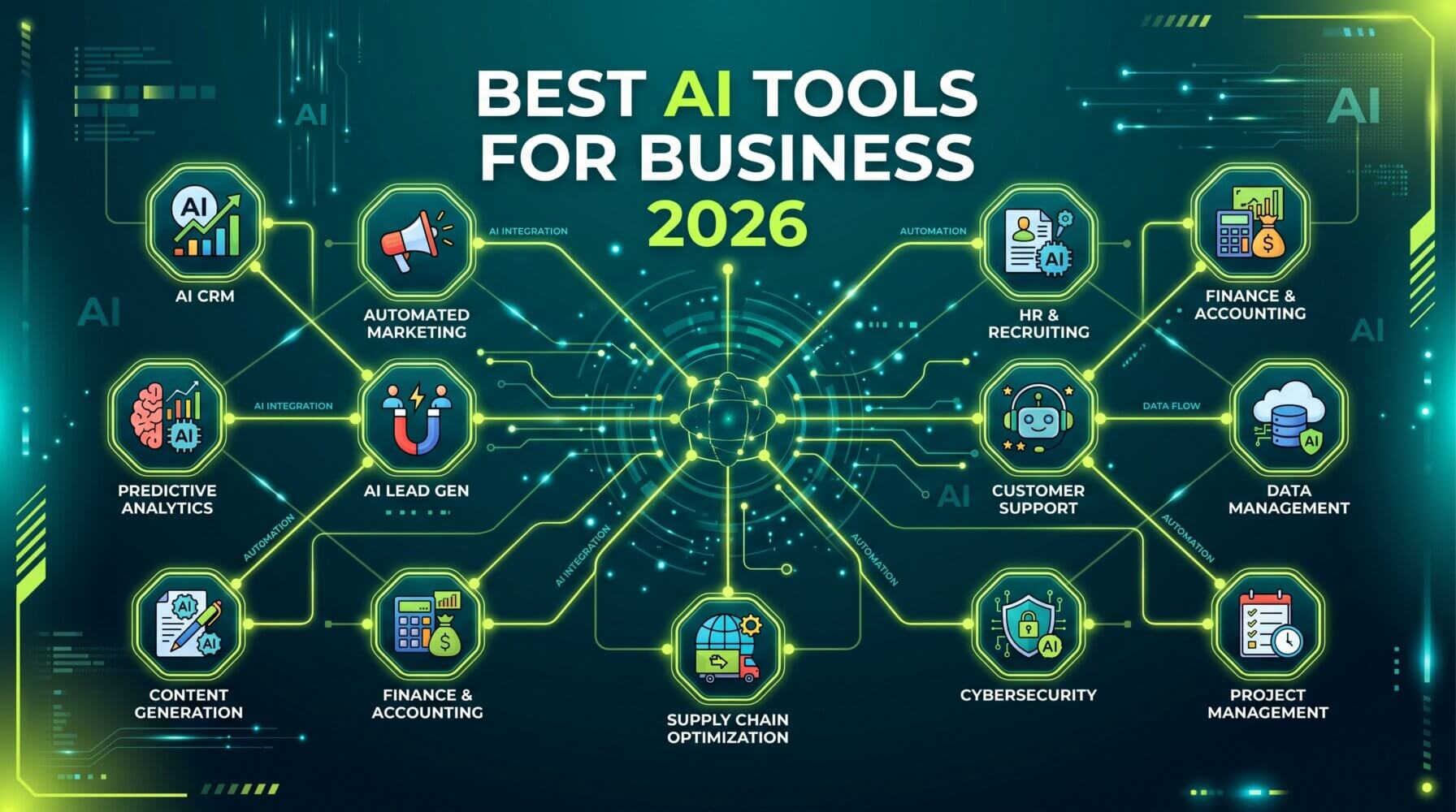
The AI tools landscape for Australian businesses has changed dramatically since 2024. Half the tools that were “emerging” are now mainstream — and a wave of agentic AI has reshuffled what’s actually worth deploying. This is the 2026 update: what works now, what’s worth paying for, and what sounds impressive but hasn’t delivered for real businesses yet. If you read the 2024 guide, assume the list has changed significantly.
The AI tool landscape for businesses has matured significantly. After years of hype and experimentation, certain tools have proven their value in everyday business environments while others have faded. This guide covers the AI tools that are genuinely delivering results for Australian businesses in 2026, along with honest guidance on where each one works best.
How to Think About AI Tools for Your Business
Before jumping into specific tools, it helps to have a framework for evaluating them. The best AI tool for your business depends on three things: what problem you are trying to solve, where your team already works, and what your data privacy requirements are.
AI tools that integrate with software your team already uses tend to get adopted more readily than standalone tools that require a behaviour change. Tools that require significant prompting skill or setup investment are better suited to power users than to general rollout.
Microsoft Copilot for Microsoft 365
For businesses already on Microsoft 365, Copilot is the most immediately practical AI tool available. It works inside the applications your team uses every day and can access your actual business data, including emails, documents, Teams conversations, and calendar events.
Copilot is strong for: meeting summaries, email drafting, document creation from briefs, data analysis in Excel, and presentation generation in PowerPoint.
The main limitation is cost. Copilot requires an add-on licence on top of your Microsoft 365 subscription. It is best suited for knowledge workers who spend significant time on writing, analysis, and communication tasks.
Claude (Anthropic)
Claude has emerged as a strong choice for tasks involving long documents, nuanced analysis, and high-quality writing. Its context window allows it to process lengthy contracts, reports, and research documents in a single session.
Claude is strong for: document analysis, editing and rewriting, structured content generation, complex research questions, and tasks that require careful, nuanced reasoning.
It is available through claude.ai with individual and team plans. It is particularly popular with legal, consulting, and professional services teams who regularly work with long, complex documents.
ChatGPT and ChatGPT Team (OpenAI)
OpenAI’s ChatGPT remains one of the most widely used AI tools in the world. ChatGPT with GPT-4o is a versatile tool that handles a wide range of tasks well, and its image input capabilities make it useful for reviewing visual content, diagrams, and screenshots.
ChatGPT is strong for: general-purpose writing, coding assistance, research, image analysis, and tasks where you want a tool with broad capability rather than deep integration.
For business use, ChatGPT Team provides additional privacy protections and higher usage limits. OpenAI has also introduced GPT-based Agents that can perform multi-step tasks and browse the web, which is useful for research-intensive workflows.
Google Gemini for Google Workspace
For businesses using Google Workspace rather than Microsoft 365, Gemini provides similar integration benefits to Copilot but within Google Docs, Sheets, Gmail, and Meet. Gemini can summarise emails, draft documents, and analyse spreadsheet data in plain language.
If your business is already invested in Google Workspace and does not plan to move to Microsoft 365, Gemini is the natural counterpart to Copilot in that environment.
GitHub Copilot
For businesses with in-house developers or technical teams, GitHub Copilot is one of the most impactful AI tools available. It provides real-time code completion suggestions, can generate functions based on plain-English descriptions, and helps with code reviews and documentation.
GitHub Copilot has consistently demonstrated productivity improvements in developer workflows. If your team writes code, this tool is worth evaluating.
Notion AI
For teams that use Notion for project management, documentation, or knowledge bases, Notion AI adds writing assistance, summarisation, and action item extraction directly within the workspace. It is a good example of AI that works best when embedded in the tool your team already uses.
Otter.ai and Similar Transcription Tools
AI-powered meeting transcription tools like Otter.ai, Fireflies.ai, and similar services automatically transcribe meetings, extract action items, and send summaries to participants. For teams that have a lot of meetings and struggle with capturing outcomes consistently, these tools can provide immediate value.
Microsoft Teams has its own built-in transcription and Copilot summary features, which may reduce the need for a third-party transcription tool if you are already on Microsoft 365.
Canva Magic Studio
For teams without a dedicated designer, Canva’s AI tools — including text-to-image generation, Magic Design, and Magic Write — make it possible to create professional-looking visual content quickly. The combination of templates and AI assistance lowers the barrier to producing good-looking social media content, presentations, and marketing materials.
What to Look for When Evaluating Any AI Tool
- Integration: Does it work within your existing tools, or does it require a separate workflow?
- Data privacy: How does the provider handle your data? Are there enterprise options for sensitive information?
- Accuracy: How often does it produce incorrect outputs? What is the cost of a mistake in your use case?
- Ease of use: Can general staff use it without significant training, or does it require specialist knowledge?
- Cost vs. benefit: Does the time saved justify the subscription cost at the usage level you expect?
The Right Approach for Most Australian Businesses
For most professional services businesses in Australia, the practical starting point in 2026 is Microsoft 365 Copilot if you are already on Microsoft 365. It delivers the broadest value across the widest range of users with the least additional training required.
Supplement Copilot with Claude or ChatGPT for tasks where a standalone chat interface works better, and evaluate specialist tools like GitHub Copilot or Canva for specific team needs.
Start small, measure the impact, and expand from there. AI tools are most effective when adopted thoughtfully rather than deployed broadly without a clear use case.
For guidance on AI tool deployment and Microsoft 365 optimisation, visit the Otto IT Microsoft 365 services page. To discuss your specific situation, contact the Otto IT team.
Summary
The best AI tools for your business depend on where your team works and what problems you are trying to solve. Microsoft Copilot, Claude, ChatGPT, and Gemini each have distinct strengths. Start with the tool that integrates most naturally with your existing environment, measure the impact on real tasks, and build from there.
If your business needs help getting the most out of Microsoft 365 or keeping your IT running smoothly, talk to the Otto IT team.
Frequently Asked Questions
What is the practical difference between Microsoft Copilot and ChatGPT for everyday business use?
Microsoft Copilot is integrated directly into Microsoft 365 applications — Word, Excel, Teams, Outlook — and works with your actual business data stored in those platforms. ChatGPT is a standalone tool you interact with separately. For businesses already using Microsoft 365, Copilot is generally more immediately useful because it operates within existing workflows. ChatGPT has broader general knowledge and more flexible use cases outside the Microsoft ecosystem. Many businesses use both for different purposes.
Are AI tools safe for handling sensitive client or financial data?
It depends entirely on the tool and how it is configured. Microsoft 365 Copilot processes data within your Microsoft 365 tenant and does not use your data to train AI models — your data stays within your security boundary. Consumer AI tools, including free versions of ChatGPT, should not be used with sensitive business data. Before deploying any AI tool, confirm where data is processed, whether it is used for model training, and whether the vendor’s security posture meets your obligations under the Privacy Act.
How much do AI tools for business typically cost in Australia?
Microsoft 365 Copilot is a per-user monthly add-on, and pricing has continued to evolve through 2025 and 2026. Other tools vary widely — some have free tiers sufficient for individual use, while enterprise-grade platforms can cost several hundred dollars per user per month. The most important cost question is not the licence fee but the implementation cost and the time investment required to get staff using the tool productively. Factor both into your evaluation.
What is the biggest mistake businesses make when deploying AI tools?
Treating AI tools as self-implementing. Most AI deployments that fail do so not because the technology does not work, but because no one was responsible for adoption: no training, no use cases defined, no measurement of whether staff were actually using the tool, and no feedback loop to improve how it was being used. The technology is typically the easy part; the change management is where most businesses underinvest.
managed it support articles
Related Blog Articles
Discover more insights to optimise your business with the latest IT trends and best practices. Stay ahead of the curve by learning how to leverage cutting-edge technology for success. Explore expert advice and valuable guidance to navigate the evolving world of IT solutions