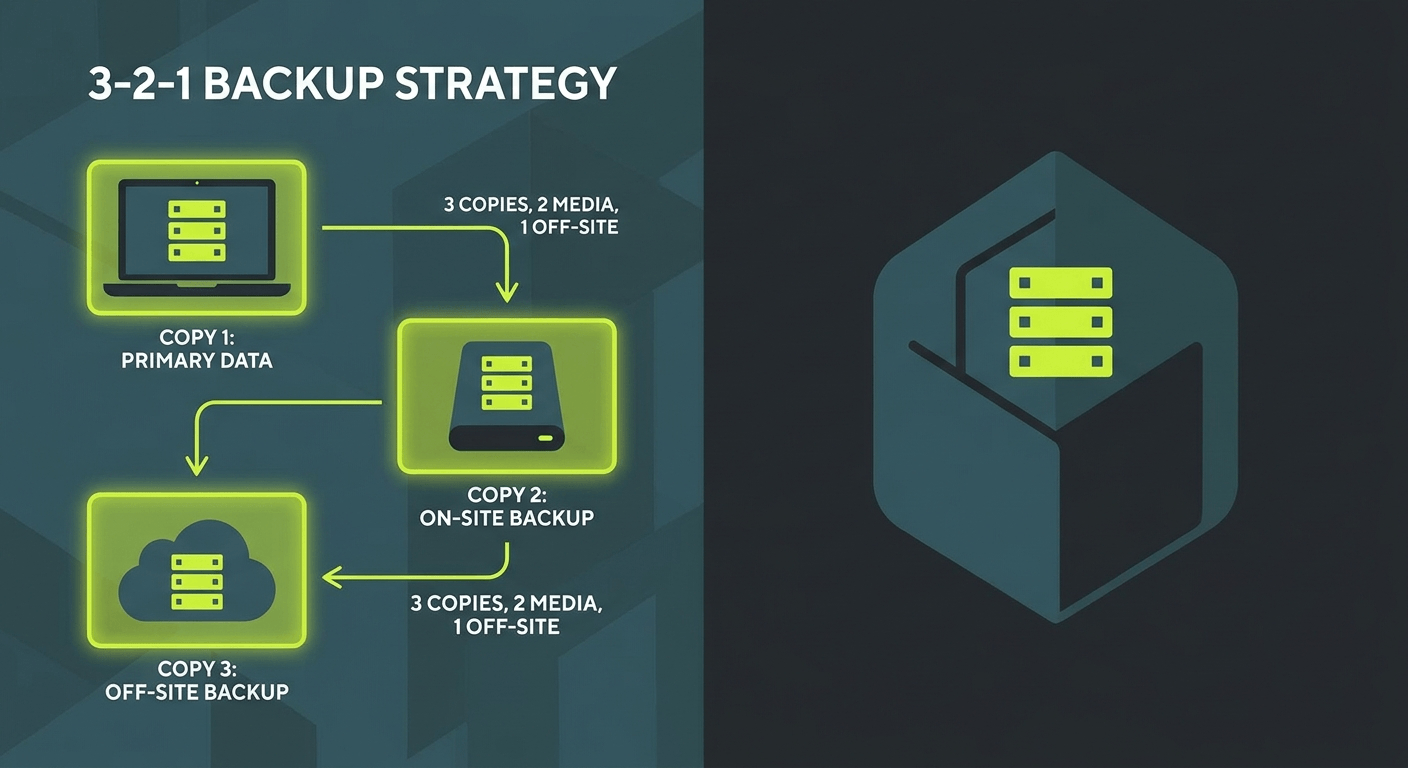
The best business data backup strategy in Australia follows the 3-2-1 rule: keep three copies of your data, on two different types of media, with one copy stored offsite. It sounds simple, and it is , but most businesses are not doing it. If your backup plan is “it’s saved in OneDrive,” you do not have a backup strategy. You have a sync service. There is a significant difference, and this guide explains exactly why that matters and what to do instead.
Why Most Backup Strategies Fail
The most common backup failure is not a technical problem. It is a misunderstanding of what “backed up” actually means.
Syncing is not backing up. OneDrive, Google Drive, and Dropbox are synchronisation tools. When you accidentally delete a file, overwrite it, or get hit by ransomware that encrypts everything on your device, those changes sync to the cloud immediately. Your “backup” is now also encrypted or deleted.
The second most common failure is assuming someone else is handling it. In most small to medium businesses, nobody has explicitly taken ownership of the backup process. It runs in the background, quietly, until the day it is needed , and that is often when people discover it stopped working months ago.
Backup failures also happen because:
- Backups were never tested, so a corrupted archive goes undetected
- The backup scope was too narrow, covering only certain folders while missing databases and email
- Retention periods were too short to recover from a slow-burn ransomware attack
- There was no offsite copy, so a fire or flood took out both the server and the backup drive
The 3-2-1 Backup Rule Explained
The 3-2-1 rule is a straightforward framework that addresses the most common failure points. Here is what it means in practice:
3 copies of your data , your live working copy, plus two backups. If one fails, you still have two others.
2 different types of media , for example, one backup on an external hard drive or NAS (network attached storage), and one in the cloud. Using two different media types protects against hardware-specific failures.
1 offsite copy , at least one backup must be in a physically separate location. A cloud backup counts. This protects against site-level disasters like fire, theft, or flooding.
A practical 3-2-1 setup for an Australian professional services business might look like this: live data on a server or workstation, a nightly backup to a NAS device on-premises, and a daily encrypted backup to an Australian-based cloud backup service. That is three copies, two media types, one offsite.
What You Actually Need to Back Up
Most businesses think of “files” when they think of backups. Files are important, but they are only part of the picture.
A complete backup strategy for business includes:
- Files and folders , documents, spreadsheets, project files, client records
- Email , your Microsoft 365 or Google Workspace mailboxes, including sent items and calendars
- Databases , your accounting software, CRM, practice management system, or custom applications often run on databases that require specific backup methods
- System configurations , server settings, network configurations, and software licences; these are painful to rebuild from scratch
- Microsoft 365 data , Teams messages, SharePoint content, and OneDrive files all need third-party backup coverage (more on this below)
How Often Should You Back Up?
The right backup frequency depends on how much data you can afford to lose. That is measured by your Recovery Point Objective (RPO) , the maximum acceptable data loss window.
As a practical guide:
- Critical business data (accounting records, client files, live databases) , back up continuously or at minimum daily
- Email and Microsoft 365 , daily is the standard; some solutions offer near-real-time backups
- System configurations and server images , weekly is typically sufficient, plus after any significant change
- Archives and reference files , weekly or monthly depending on how often they change
When evaluating backup frequency, also consider your Recovery Time Objective (RTO): how quickly do you need to be back up and running? A longer acceptable downtime window gives you more flexibility. A business that needs to be operational within four hours needs a more sophisticated setup than one that can manage two days offline.
The Microsoft 365 Backup Misconception
This is one of the most important points in this guide: Microsoft does not back up your data in Microsoft 365.
Microsoft protects its infrastructure , the servers, the platform, the uptime. Your responsibility is your data. Microsoft’s shared responsibility model is explicit about this. If you accidentally delete a mailbox, a Teams channel, or a SharePoint site and it falls outside the built-in retention window (which varies and is not designed for disaster recovery), Microsoft cannot restore it for you.
The built-in recycle bin and version history in Microsoft 365 are useful features, but they are not backup solutions. They have limited retention periods, they can be emptied, and they do not protect against ransomware that encrypts files in place.
Australian businesses using Microsoft 365 should implement a dedicated third-party Microsoft 365 backup solution. Options include Veeam Backup for Microsoft 365, Acronis Cyber Protect, and Barracuda Cloud-to-Cloud Backup, among others. These solutions back up Exchange Online, SharePoint, OneDrive, and Teams to a separate location on a scheduled basis.
Cloud Backup Options for Australian Businesses
Sovereignty and latency matter when choosing a cloud backup provider. For most Australian businesses, storing backup data in an Australian data centre is the right call , both for performance during recovery and for compliance with Australian privacy obligations.
Key considerations when evaluating cloud backup for your business:
- Data residency , confirm backups are stored in Australian data centres
- Encryption , data should be encrypted in transit and at rest, ideally with your own keys
- Retention periods , check how far back you can restore; ransomware can sit dormant for weeks before activating
- Restore speed , test how long a full restore actually takes before you need it in an emergency
- Compliance , if you handle sensitive data under the Privacy Act or industry-specific regulations, your backup provider needs to meet those standards
Well-regarded options for Australian businesses include Veeam, Acronis, Datto, and Druva. Your managed IT provider can help match the right solution to your specific risk profile and budget.
How to Test Whether Your Backup Actually Works
This is the step most businesses skip , and it is the most important one.
A backup you have never tested is a backup you do not have. Backup systems fail silently. Drives fill up, jobs error out, credentials expire. Without regular testing, you will not know until the moment you need the backup most.
Build a backup testing routine:
- Monthly file restore test , restore a random selection of files from your backup and verify they open correctly and match the expected content
- Quarterly database restore test , restore your accounting database or CRM backup to a test environment and confirm the data is intact
- Annual full recovery drill , simulate a complete failure scenario and time how long it takes to restore your systems to a working state
Document every test: what was tested, what was restored, how long it took, and any issues found. This documentation is also useful evidence if you ever need to demonstrate due diligence under the Privacy Act or for cyber insurance purposes.
How Microsoft Copilot Can Help With Backup Documentation
One underused application of Microsoft Copilot in a business context is documentation. A well-structured backup procedure document is something most businesses know they should have but never get around to writing.
Copilot in Word or Teams can help you:
- Draft a formal backup procedure document based on your current setup
- Create a testing schedule with assigned owners and due dates
- Generate a checklist for monthly and quarterly backup verification tasks
- Summarise your backup and recovery configuration for new staff or auditors
Copilot is not a substitute for having the right backup solution in place, but it can significantly reduce the administrative overhead of maintaining proper documentation around it.
What Happens When You Do Not Have a Backup
Ransomware is the most common scenario where businesses discover their backup situation is inadequate. In a typical ransomware incident, the malicious software encrypts files across the network , including any connected drives and cloud sync folders , and demands payment for the decryption key.
Without a clean, offsite backup that predates the infection, businesses face a difficult choice: pay the ransom (with no guarantee of recovery), or attempt to rebuild from scratch. According to the Australian Signals Directorate, ransomware is consistently one of the top cyber threats to Australian businesses.
The recovery cost from a ransomware incident typically far exceeds the cost of implementing a proper backup solution. A well-configured 3-2-1 backup setup with tested restore procedures converts a potential business-ending event into a manageable recovery.
Frequently Asked Questions
Is OneDrive or SharePoint a backup?
No. OneDrive and SharePoint are synchronisation and collaboration tools. They do not provide the independent, versioned, offsite backup coverage that a proper backup solution delivers. Microsoft does not back up your data on your behalf.
How long should we keep backups?
Most businesses should retain at least 30 days of daily backups, 12 months of monthly snapshots, and at least one annual archive. For businesses subject to specific regulatory requirements, retention periods may be longer.
What does a business data backup solution cost?
Costs vary significantly based on data volume and solution type. Cloud backup for Microsoft 365 typically starts from a few dollars per user per month. Full server backup solutions are priced differently. The more useful question is what a data loss event would cost your business , the comparison usually makes the investment straightforward.
Do we need a managed backup service or can we do it ourselves?
You can manage backups internally, but it requires someone who owns that responsibility and consistently monitors and tests the system. Many businesses find that a managed backup service, where testing and monitoring is handled by their IT provider, is more reliable in practice.
Ready to Sort Out Your Backup Strategy?
A solid data backup strategy is not complicated, but it does require intentional setup and ongoing attention. If you are unsure whether your current backup configuration is actually protecting your business , or if you have never tested a restore , it is worth getting a proper review done.
Otto IT helps professional services firms across Australia implement and manage backup solutions that are tested, documented, and aligned to their risk profile. Our managed cybersecurity services include backup assessment and remediation as part of a broader data protection approach.
Book a free 30-minute consultation to review your current backup setup and find out where the gaps are.
managed it support articles
Related Blog Articles
Discover more insights to optimise your business with the latest IT trends and best practices. Stay ahead of the curve by learning how to leverage cutting-edge technology for success. Explore expert advice and valuable guidance to navigate the evolving world of IT solutions