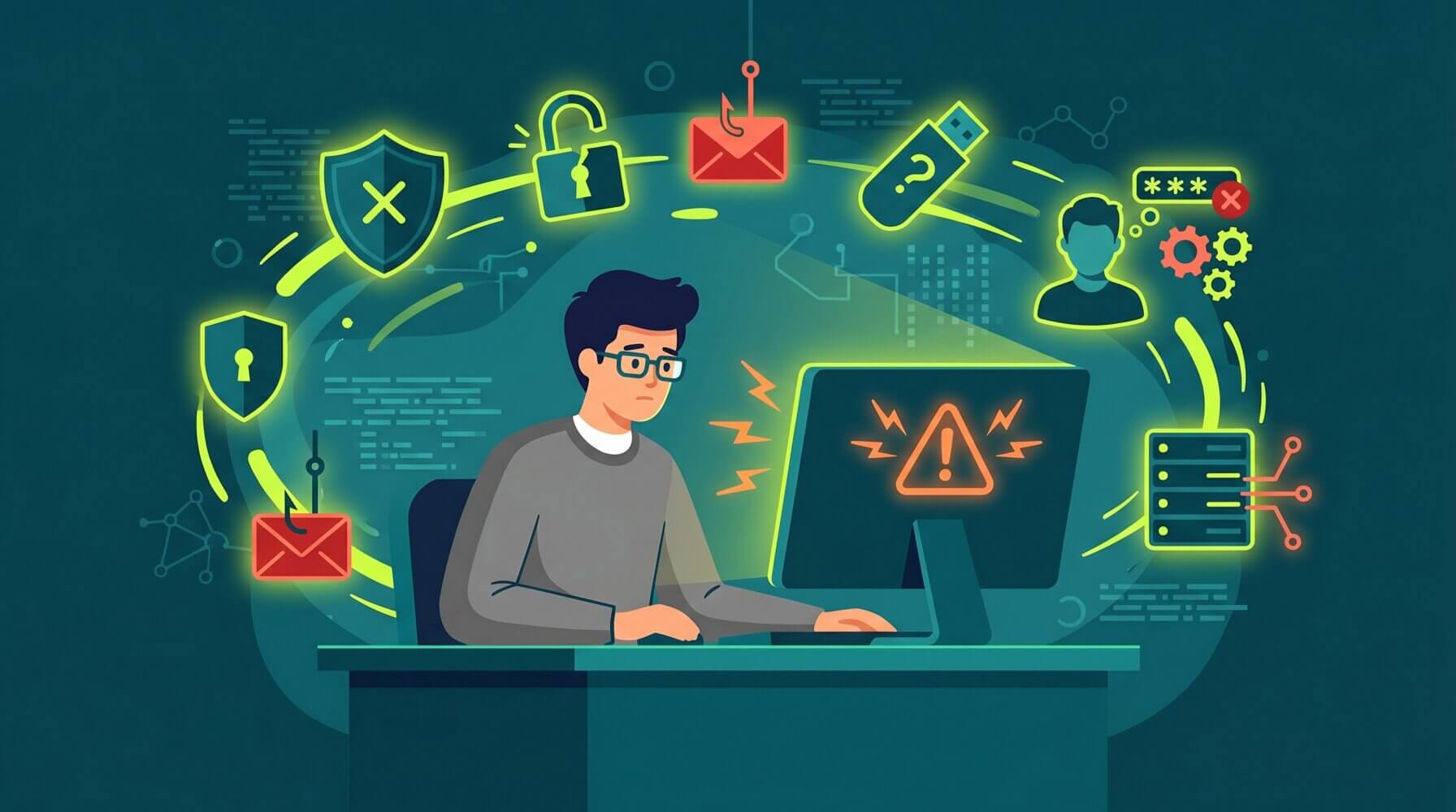
Most cybersecurity incidents in Australian businesses involve a human element. Not because staff are careless or unintelligent, but because attackers are sophisticated, phishing emails look legitimate, and the consequences of clicking the wrong link are not always obvious in the moment.
Understanding the most common mistakes is the first step toward building a team that is genuinely harder to compromise. Here are the ten mistakes that come up most often, and what to do about each one.
1. Clicking Links in Emails Without Checking the Sender
Phishing emails are the most common initial access vector for cyberattacks in Australia. The fix is to develop a habit of verifying the sender’s actual email address before clicking any link, and to navigate directly to websites rather than through email links when in doubt. If an email is unexpected or asks for anything urgent, treat it as suspicious until proven otherwise.
2. Reusing Passwords Across Multiple Accounts
When one account is compromised in a data breach, reused passwords mean that every other account using the same credentials is also at risk. Use a password manager and a unique password for every account. This one habit alone prevents a significant proportion of credential-based attacks.
3. Not Enabling Multi-Factor Authentication
MFA is one of the most effective controls available. It means that even if your password is stolen, an attacker cannot access your account without the second factor. Enable MFA on every account that supports it, starting with email, cloud storage, and any system containing sensitive data.
4. Using Personal Devices for Work Without Security Controls
Personal devices used for work often lack the security configuration of corporate devices. They may not have endpoint protection, may not receive automatic updates, and may be shared with family members. Use work devices for work, and if personal devices must be used, ensure they meet the same security standards as corporate equipment.
5. Connecting to Public Wi-Fi Without a VPN
Public Wi-Fi networks can be monitored by anyone on the same network. Accessing business systems, email, or sensitive data over unsecured public Wi-Fi without a VPN exposes that data to interception. Use a VPN whenever you connect from a public network.
6. Ignoring Software Update Notifications
Software updates frequently include security patches for known vulnerabilities. Delaying updates leaves known attack paths open. Enable automatic updates where possible and action update prompts promptly when they appear.
7. Sending Sensitive Information via Email Without Encryption
Standard email is not a secure channel for sensitive information. Client data, financial information, credentials, and confidential business information should not be sent via unencrypted email. Use encrypted file sharing, secure client portals, or encrypted email where sensitive information needs to be transmitted.
8. Failing to Report Suspicious Activity
Many employees notice something suspicious but do not report it because they are unsure whether it is significant or worry about causing trouble. Create a culture where reporting is encouraged and easy. A suspected phishing email that turns out to be legitimate is far less costly than a real phishing attack that goes unreported.
9. Oversharing on Social Media
Information shared publicly on LinkedIn, social media, and professional networks can be used by attackers to craft convincing targeted phishing emails. Be conscious of what information about your role, employer, colleagues, and workplace systems you share publicly.
10. Not Locking Screens When Stepping Away
An unlocked screen in a shared office, a cafe, or a conference gives anyone nearby access to everything on your device. Make a habit of locking your screen every time you step away, even briefly. On Windows, the shortcut is Win + L. On Mac, it is Ctrl + Cmd + Q.
Building Better Habits Across Your Team
Individual habits matter, but the most effective approach is building a security culture where good behaviour is the norm. Regular, practical security awareness training, clear policies, and technical controls that reinforce good habits all contribute to a team that is genuinely harder to compromise.
Explore how our managed cybersecurity services support Australian businesses, or visit our managed IT support page to see how we keep businesses secure day to day. If your business needs help getting the most out of Microsoft 365 or keeping your IT running smoothly, talk to the Otto IT team.
Frequently Asked Questions
How long does it take to implement cybersecurity mistakes Australian for a small business?
Implementation timelines vary based on your environment size and complexity. Most small to medium-sized Australian businesses can expect an initial rollout to take anywhere from a few days to several weeks, depending on the scope. Partnering with an experienced managed IT provider helps streamline the process and reduces disruption to day-to-day operations.
What are the ongoing costs associated with cybersecurity mistakes in Australia?
Costs depend on your organisation’s size, existing infrastructure, and the level of support you require. Many modern solutions use subscription-based pricing, which makes ongoing costs predictable and easier to budget. We recommend requesting a scoped proposal tailored to your specific environment to get an accurate figure.
Do I need an in-house IT team to manage cybersecurity mistakes Australian?
Not necessarily. Many organisations outsource this to a managed IT services provider, which gives you access to specialist expertise without the overhead of a full-time hire. A good provider will handle setup, monitoring, updates, and support on your behalf, freeing your team to focus on core business activities.
Is cybersecurity relevant for non-technical industries like law, accounting, or healthcare?
Absolutely. Non-technical industries often have the most to gain, as they handle sensitive client data and face strict compliance and regulatory requirements. Solutions in this space are designed to be accessible and user-friendly, so your staff do not need a technical background to benefit from them.
How do I know if my current approach is adequate?
The best starting point is a technology assessment or independent audit conducted by a qualified IT professional. This identifies gaps in your current setup and produces a prioritised list of improvements. Otto IT offers complimentary assessments for businesses looking to understand their technology posture and where to focus next.
managed it support articles
Related Blog Articles
Discover more insights to optimise your business with the latest IT trends and best practices. Stay ahead of the curve by learning how to leverage cutting-edge technology for success. Explore expert advice and valuable guidance to navigate the evolving world of IT solutions