Your leadership team is asking about AI agents. Before you commit to a deployment – whether that’s an off-the-shelf solution or a custom build – there are readiness questions most Australian businesses skip and then regret. This is a deployment-focused guide: governance, security posture, integration requirements, staff readiness, and the questions you need answered before going live. The awareness education is elsewhere; this is the checklist for when you’re ready to act.
Deploying AI agents in your workplace is not a decision to make lightly. Unlike chatbots that wait for instructions and return answers, AI agents take autonomous action across your systems, booking meetings, sending emails, querying databases, and triggering workflows without a human approving each step.
That autonomy delivers real productivity gains for Australian businesses. It also introduces governance, security, and operational questions that most businesses have not yet worked through. This guide is a practical deployment readiness checklist: what to assess, what policies to put in place, and how to know when your business is genuinely ready to go live with agentic AI tools.
What Is an AI Agent, and How Is It Different from a Chatbot?
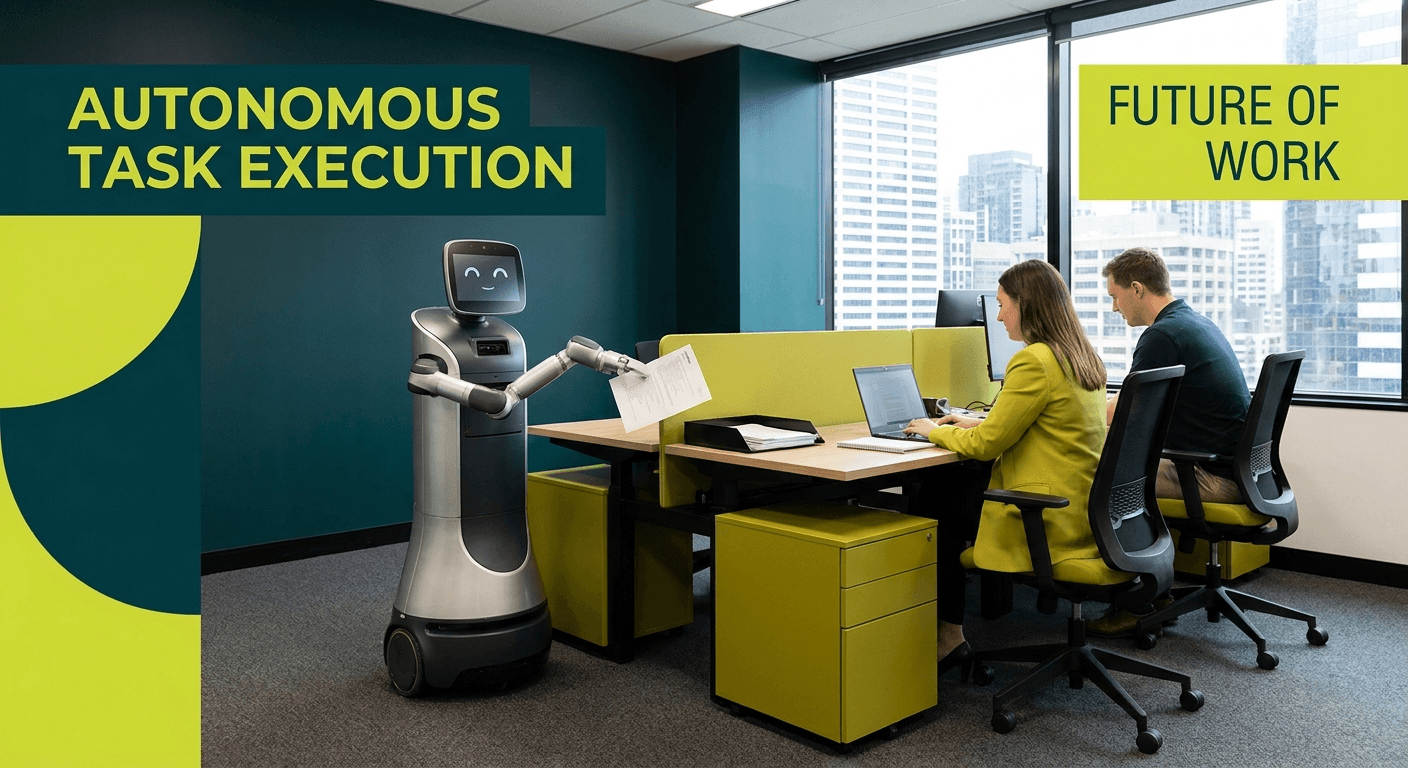
A chatbot waits for a question and returns an answer. It is passive and contained. An AI agent is designed to pursue a goal autonomously, which means it can plan steps, call tools or APIs, read and write data, and take actions across multiple systems without pausing for human confirmation at each stage.
Think of it this way: a chatbot tells you that a meeting needs rescheduling. An AI agent reschedules the meeting, updates the calendar, notifies attendees, and books the new room, all without being asked to do each step individually.
That capability is powerful. It is also where the risk starts.
Real Examples of AI Agents in the Workplace
Agentic AI is already being deployed across Australian workplaces, often through tools businesses are already paying for.
Microsoft Copilot Agents
Microsoft 365 Copilot now supports custom agents that can operate inside Teams, SharePoint, and Outlook. These agents can retrieve files, summarise documents, draft and send emails, update records in Dynamics 365, and trigger workflows, all based on a user prompt or a scheduled trigger. You can learn how to build Copilot Agents in Microsoft Copilot Studio if you want to understand what they are capable of.
Automated Workflow Agents
Tools like Power Automate and third-party platforms are being combined with AI reasoning to create agents that monitor inboxes, classify requests, route tickets, update databases, and generate reports. These agents can run continuously in the background across business hours and beyond.
Customer Service Bots with Agency
Modern customer service agents go beyond scripted responses. They can access a customer’s account, check order history, process refunds, update contact details, and escalate to a human only when the situation requires it. When these agents have access to live customer data, the stakes of a misconfiguration are significant.
The Key Questions to Answer Before You Deploy
The Australian Signals Directorate (ASD) and the Australian Cyber Security Centre (ACSC) published guidance in May 2026, Careful Adoption of Agentic AI, specifically addressing the security risks that come with autonomous AI systems. The guidance identifies several critical questions organisations must resolve before deploying agents in production environments.
Here is how those questions translate to your business context.
What data can the agent access?
An agent’s access permissions determine the blast radius of any mistake or compromise. If your Copilot Agent has access to your entire SharePoint environment, a misdirected action or a malicious prompt could expose data far beyond what the agent was intended to touch. Access should be scoped to the minimum required to complete the agent’s specific tasks.
Who authorises its actions?
Some agent actions should require explicit human approval before they execute. Sending an email on behalf of an executive, deleting records, or approving a financial transaction are examples where a confirmation step is not optional, it is a control. Design your agent workflows with clear approval gates for high-impact actions.
What can it do without human approval?
The flip side of the previous question. Low-risk, reversible actions can reasonably be automated without a human in the loop. Higher-risk or irreversible actions should not be. Mapping this boundary before deployment, not after an incident, is essential.
How does it handle unexpected inputs?
Agents that process external data, emails, or user-submitted content are exposed to prompt injection attacks. A malicious actor can craft an input designed to hijack the agent’s behaviour. Your deployment needs to account for this, particularly if the agent interacts with content from outside your organisation.
What is the audit trail?
When an agent takes an action, can you see what it did, why it did it, and what data it accessed? Logging and auditability are not afterthoughts. They are requirements, especially for any agent that touches regulated data or customer information.
Risks Unique to Agentic AI
Agentic AI introduces a distinct set of risks that do not apply to standard AI tools. Our earlier post on agentic AI security risks for Australian businesses covers these in depth, but the core risks to understand are:
Prompt Injection Attacks
This is one of the most significant threats to agentic systems. An attacker embeds instructions inside content the agent will read, a document, an email, a web page, and the agent follows those instructions as if they came from a legitimate user. For an agent with write access to your systems, this can have serious consequences.
Over-Privileged Agents
Agents provisioned with broad permissions because it was easier to set up that way are a major risk. If an agent has admin-level access when it only needs read access to three folders, any vulnerability in that agent exposes your entire environment. Least-privilege is not just a best practice here, it is a core security control.
Unintended Data Exposure
Agents that summarise documents or answer questions about your business can inadvertently surface information that should be restricted. If an agent can access HR files, financial records, and client data simultaneously, a poorly scoped query can return data the requesting user should not see. Data classification and access boundaries need to be in place before agent deployment.
Hallucinated Actions
AI models can generate plausible but incorrect outputs. When those outputs are answers, the risk is misinformation. When those outputs are actions, such as sending a file, updating a record, or executing a transaction, the risk is operational harm. Human review checkpoints for consequential actions help mitigate this.
Australian Privacy Act Considerations
If your AI agent processes personal information about customers, employees, or any identifiable individual, your obligations under the Australian Privacy Act apply in full. The fact that the processing is automated does not reduce your accountability, it may increase it, because the scale and speed of automated processing amplifies potential harm.
Key Privacy Act considerations for AI agent deployments include:
- Is the agent collecting personal information, and is this disclosed in your privacy policy?
- Are you able to respond to access and correction requests if the agent has processed someone’s data?
- If the agent uses offshore AI infrastructure (such as cloud-based LLM endpoints), does this constitute a cross-border disclosure, and are you managing it accordingly?
- If a data breach occurs through the agent, what is your notification obligation to the OAIC?
These are not hypothetical questions. They are questions the Office of the Australian Information Commissioner will ask if a complaint is made.
The ASD/ACSC Guidance on Agentic AI
In May 2026, the ASD and ACSC released their Careful Adoption of Agentic AI advisory, which provides specific guidance for organisations deploying AI agents in Australian business and government contexts. The advisory addresses supply chain risks from third-party agents, the importance of sandboxing and isolation, and the need for human oversight controls on consequential decisions.
Otto IT’s approach to AI agent security assessments aligns directly with this guidance. We help businesses map their agent architecture against the ASD/ACSC recommendations before deployment, not after an incident creates pressure to do so.
Practical Checklist: 5 Questions Before Deploying an AI Agent
Use this checklist with your IT team or technology partner before any AI agent goes into production.
- Is the agent’s access scoped to the minimum required for its function? Document what data sources, APIs, and systems the agent can access. Confirm that access is limited to what the specific task requires, and nothing more.
- Have you identified which actions require human approval? Create a tiered list of actions the agent can take: those it can execute autonomously, those that require confirmation, and those that are out of scope entirely.
- Is the agent protected against prompt injection? If the agent processes any content from external sources, emails, documents, web content, customer inputs , there must be safeguards against malicious instruction injection.
- Are there audit logs for agent actions? Every significant action taken by the agent should be logged with enough detail to reconstruct what happened and why. Confirm that these logs are stored securely and reviewed regularly.
- Have you assessed the Privacy Act implications? If the agent touches personal information, a privacy impact assessment should be completed before deployment. This is particularly important for customer-facing agents.
How Otto IT Can Help
Otto IT works with professional services firms across Australia to assess AI readiness and security before deployment decisions are made. Our managed cybersecurity services include AI agent security reviews that evaluate your proposed deployment against current ASD/ACSC guidance, identify over-privilege risks, and map the controls needed for compliant and secure operation.
We do not sell AI agents. We help you deploy them safely, with the governance and security architecture that reduces your exposure without slowing your operations.
If your business is evaluating Copilot Agents, automated workflow tools, or any agentic AI platform, a structured readiness assessment before go-live is significantly less costly than remediating a data incident or access control failure afterward.
Book a conversation with our team to discuss your AI agent deployment:
Schedule a meeting with Otto IT
Frequently Asked Questions
What is the difference between an AI agent and a chatbot?
A chatbot responds to questions. An AI agent takes actions to achieve a goal, it can use tools, access systems, make decisions across multiple steps, and execute tasks without needing human input at each stage. The key difference is autonomy and the ability to affect real systems and data.
Is Microsoft Copilot an AI agent?
Microsoft Copilot includes both conversational AI features and agentic capabilities through Copilot Agents built in Copilot Studio. When Copilot is configured to take actions, such as updating records, sending emails, or executing workflows, it is functioning as an AI agent. The risk profile of these features is higher than the basic chat functionality.
What is a prompt injection attack?
A prompt injection attack occurs when malicious instructions are embedded in content that an AI agent will read and process. The agent may follow those hidden instructions as if they came from an authorised user, potentially taking actions that were not intended or approved. This is one of the most significant security risks in agentic AI deployments.
Does the Australian Privacy Act apply to AI agents?
Yes. If an AI agent processes personal information about identifiable individuals, your obligations under the Australian Privacy Act apply regardless of whether the processing is manual or automated. This includes collection, storage, use, and disclosure of personal information. Businesses should conduct a privacy impact assessment before deploying agents that handle customer or employee data.
How do I know if my business is ready to deploy AI agents?
Readiness involves more than having the technology available. You need clear data access policies, defined approval workflows for agent actions, audit logging in place, staff awareness of AI-specific risks, and alignment with current ASD/ACSC guidance. Otto IT offers structured AI agent readiness assessments to help businesses understand their current position and the steps needed to deploy safely.
What does “least privilege” mean for AI agents?
Least privilege means giving the agent access only to the data and systems it genuinely needs to perform its specific function. An agent that books meeting rooms should not also have access to financial records. Applying least privilege reduces the potential damage from a misconfigured or compromised agent, and is a core recommendation in the ASD/ACSC agentic AI guidance.
managed it support articles
Related Blog Articles
Discover more insights to optimise your business with the latest IT trends and best practices. Stay ahead of the curve by learning how to leverage cutting-edge technology for success. Explore expert advice and valuable guidance to navigate the evolving world of IT solutions